
1. Firstly, according to 4DC5.com, I know that I must set up file sharing between Mac and Raspberry Pi first.
On RPI’s Terminal, type in:
sudo apt-get install netatalk
then open Finder, press commond + K, type in aft://192.***.*.***(RPI IP address), you can get access to all the files in RPI now!

Then download some wav format sounds from here and drag them into RPI.
2. Enable sounds module and Audio Output, Install sounds player.
sudo apt-get install alsa-utils
sudo apt-get install mpg321 #mpg321, to play mp3 format sounds
sudo apt-get install lame #aplay, to play wav format sounds
sudo modprobe snd-bcm2835
amixer cset numid=3 1
3. Install python module Rpi.Gpio. (for further use)
sudo apt-get update
sudo apt-get install python-dev
sudo apt-get install python-rpi.gpio
4. Write your Program, Execute it!
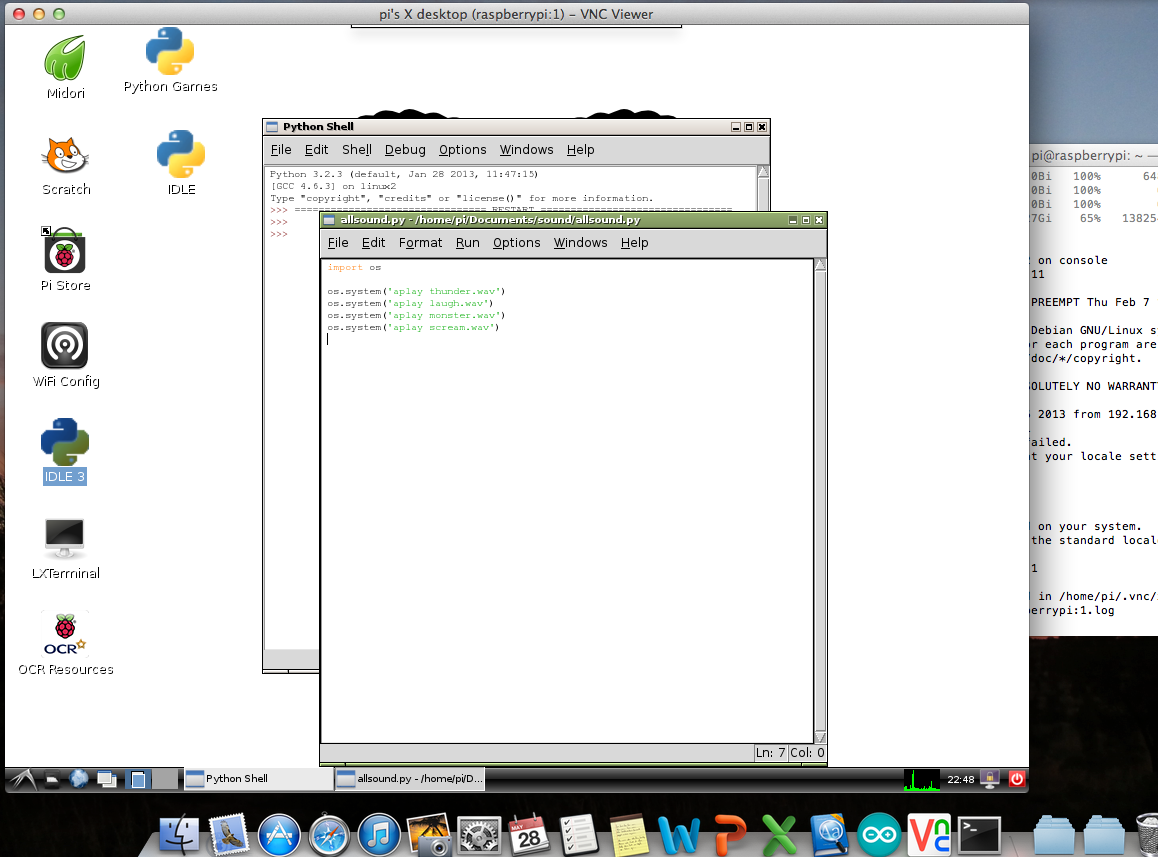
cd Documents/sound
chmod +x allsounds.py
sudo python allsounds.py
I write a simple python file named allsounds.py. Use chmod to make file executable. All done!!!


 Christina's PKB